A capture you can investigate
204 synthetic packets with HTTP conversations, retransmissions and unanswered connection requests. Open it in Packet Lens and work through the findings.
Product resources
Try the tools on sample files with no private data in them, then bring the same workflow to your own network.
Guides
Sample files
Both files contain synthetic or anonymised data, with documentation-range addresses. No private network information is included.
204 synthetic packets with HTTP conversations, retransmissions and unanswered connection requests. Open it in Packet Lens and work through the findings.
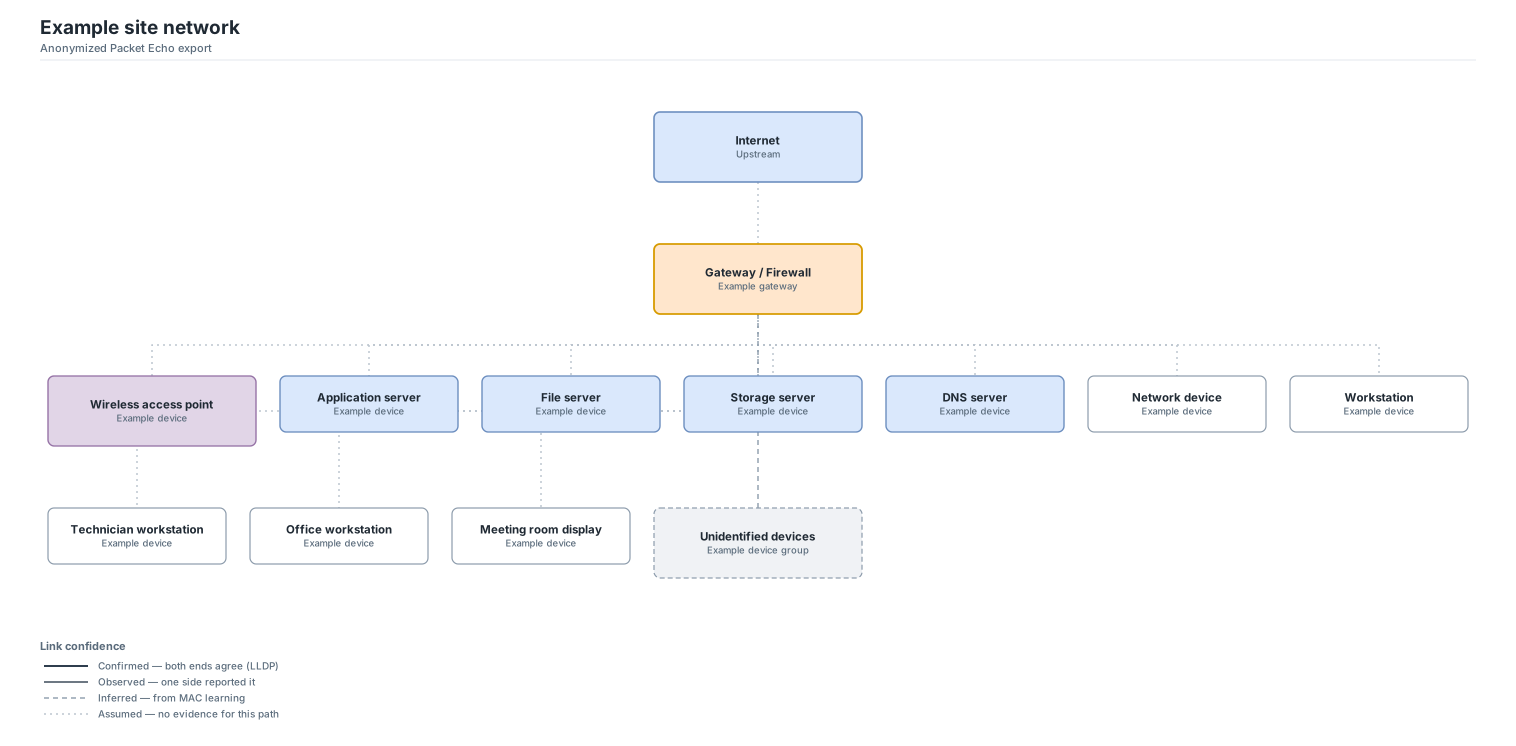
An actual Packet Echo topology export with anonymised device labels. Inspect the editable SVG and its legend separating confirmed, observed, inferred and assumed links.
Pick the right starting point
Start with the Packet Echo network scanner. Scan only the scope you are authorised to inspect, then review responding hosts and open ports. A scan is a point-in-time observation, so keep its context with your report.
Explore discoveryUse Discovery to hear LLDP or CDP from the switch you are plugged into. For the rest of the switch, the read-only SNMP workspace maps MAC addresses to ports; review the evidence before treating an inferred link as confirmed.
Explore LLDP and SNMPOpen it in Packet Lens. Review the overview, focus on a device or conversation, then inspect the packets behind a finding. A capture only sees the traffic available at its capture point.
Explore Packet LensOpen Packet Blueprint, add a rack, and place each device at its exact unit on the front or rear face. Record power, cabling and networks as you go, and keep a backup file: diagrams live in your browser.
Explore Packet BlueprintLooking for help with your account, a licence key or an installation? Visit support. For release details and the installer, see Download.